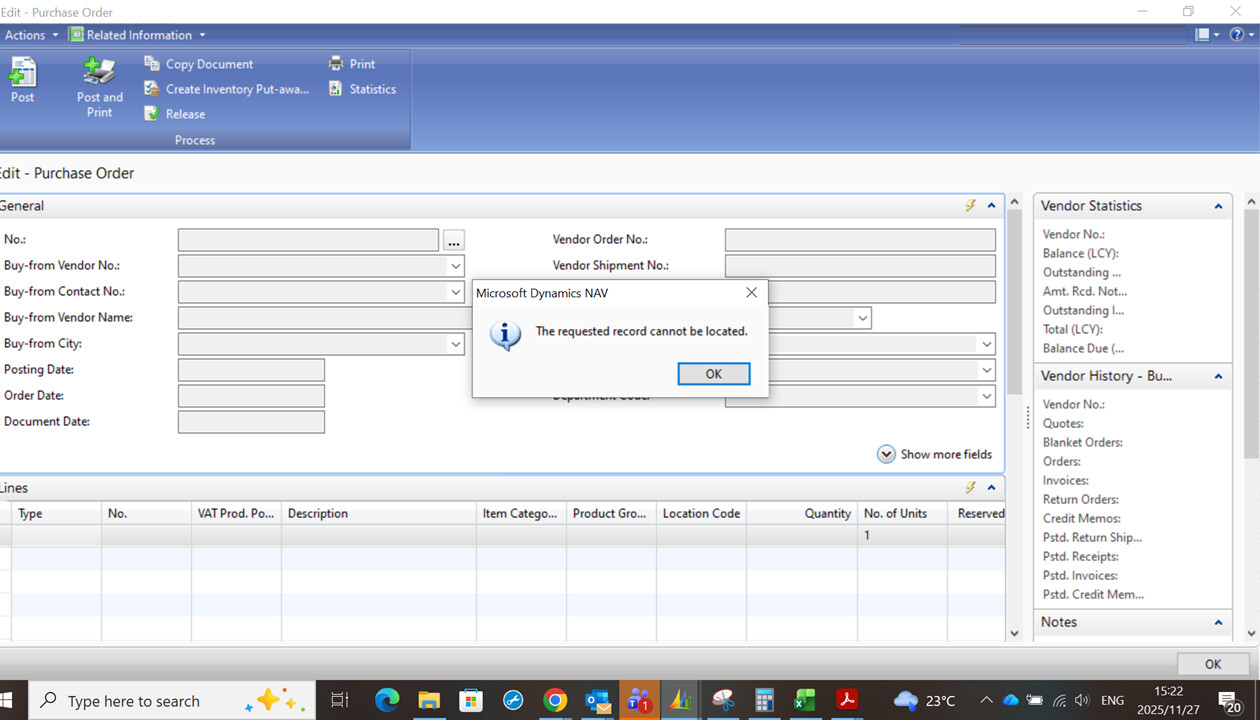
a user is getting a message saying “The requested record can not be located.” when trying to view purchase orders created by other users in Microsoft Dynamics NAV 2009 R2, but she can view her own purchase orders.
This issue in NAV 2009 R2 usually comes from permissions or hidden filters rather than the PO page itself. Even if the user has Purchase Order rights, NAV relies heavily on table permissions, especially:
• Purchase Header (Table 38)
• Purchase Line (Table 39)
If these are limited, the user may only see her own documents. Other common causes are:
• A page filter or personalization that’s restricting records
• Old Record Level Security setups
• Custom code in OnOpenPage or OnAfterGetRecord filtering by User ID, Location, or Responsibility Center
A simple check is to assign the SUPER role temporarily. If everything works, it’s permissions. If not, it’s a filter or customization.
We resolved a similar case for a manufacturing client on NAV 2009 by adjusting table permissions and removing a custom filter. If needed, we can walk you through it on a quick free call.
Thank you very much, there was a filter on the User’s User Setup page (Sales Resp. Ctr. Filter and Purchase Resp. Ctr. Filter) that was restricting her to only view Purchase Documents and Sales Documents that she was assigned.
 If not, just ping me, we’ll figure it out.