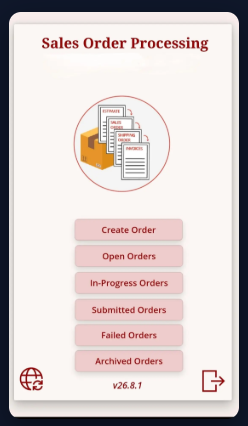
We recently solved this for a B2B wholesale distributor: their field reps couldn’t write orders in customer warehouses and basements where there’s zero cell signal or Wi-Fi.
The Challenge:
- Sales reps losing hours of productivity waiting for connectivity
- Manual spreadsheet order entry (error-prone, lost orders)
- No real-time inventory visibility in the field
- Stale offline data risking BC inventory corruption
The Solution:
Built an offline-first Power App connected to Business Central that:
Local Master Data Caching - Customer, pricing tier, and SKU data synced locally
Barcode Scanning - Integrated camera scan for rapid order entry (no manual typing)
Intelligent Offline Queuing - When signal drops, orders automatically queue without crashing
Pre-Posting Validation - When reconnected, the app validates against live BC data BEFORE posting (catches schema errors, missing quantities, inventory holds)
Self-Healing Errors - Failed orders isolate to a quarantine queue with granular error messages. Reps fix and 1-tap resubmit in seconds.
Executive Dashboards - Power BI tracking rep velocity, conversion rates, territory performance
Real-World Results:
- 100% uptime in zero-connectivity environments
- Tested with 91+ line bulk orders ($5k+), zero latency or crashes
- Zero inventory collisions (pre-posting validation prevents stale data from corrupting BC)
- Reps never need IT support for common data entry errors
Technical Stack:
Power Apps (offline-capable canvas app) + Dataverse (local SQLite sync) + Dynamics 365 Business Central (OData API pre-posting validation) + Power BI (telemetry & analytics)
If you’re managing field sales teams in warehouses, manufacturing floors, or remote customer sites, this pattern works really well.
Full case study with 8 screen walkthroughs & architecture details →
Questions? Happy to discuss the sync strategy, error handling, or offline architecture.
Allgrow Technologies
www.allgrowtech.com
Microsoft CSP & ISV Partner