Hi everyone,
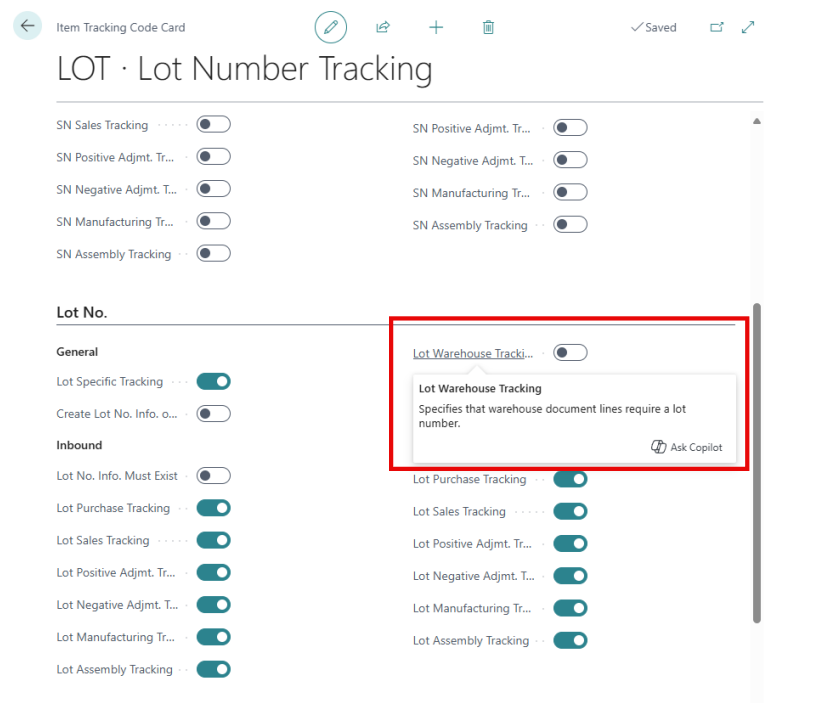
My company lot-tracks all its items.
Each of these items has the Item Tracking Code using lot number tracking assigned.
The challenge: we’re looking to enable some WMS functionality, but Lot Warehouse Tracking is currently turned off (no idea who did this, considering the default is that it’s turned on). Since transactions already exist for these items, the system won’t allow us to turn it on.
Has anyone run into this before?
Any guidance or shared experiences would be greatly appreciated.
Thanks!
Hi @chance-sweatt
Yes, this comes up more often than you’d expect in Business Central.
Once there are posted entries, you can’t turn on Lot Warehouse Tracking for an existing item; that lock is by design, and there’s no safe, supported way to force it via code in production.
What usually works in practice is:
-
Create a new Item Tracking Code with Lot Warehouse Tracking enabled and use it only for future transactions
-
If WMS is required for the same item, create a new item (or variant), move on-hand stock via reclassification or adjustment, and use the new setup going forward
Historical data stays untouched, and WMS works cleanly from that point on. Most teams take this forward-only approach rather than trying to change past postings.
Hey Buddy,
What exactly you are looking for?
You want to use this feature but have many transaction done without this and you want to entertain them or just willing to explore how this works?